If you can say it, you can print it.
For printer owners who don't do CAD. Describe the thing, tap it to adjust, and print it at your exact size: a lost battery cover, a jig for your drill, a stamp with your logo, a cookie cutter from your kid's drawing.
Make your first thing · See how it fits
Download on the App Store (Apple's badge goes here: the artwork from developer.apple.com/app-store/marketing/guidelines)
Not in any library? That's the point.
Every object is made for you: the gap in your drawer, the cover you lost, the stamp with your mark. Not a download that almost fits.
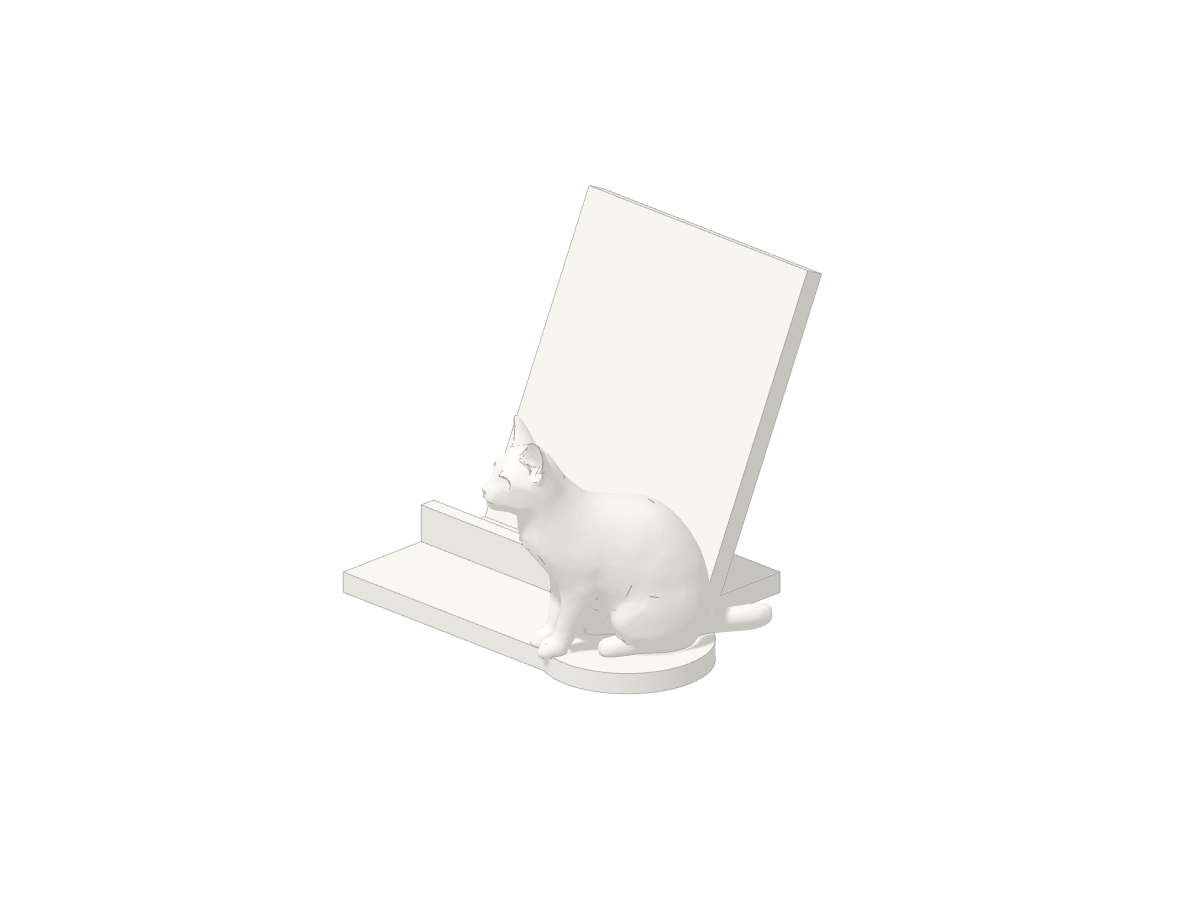 Cat phone stand@evgenii-slakvaA phone stand with a sculpted sitting cat beside a leaning back rest and front lip.
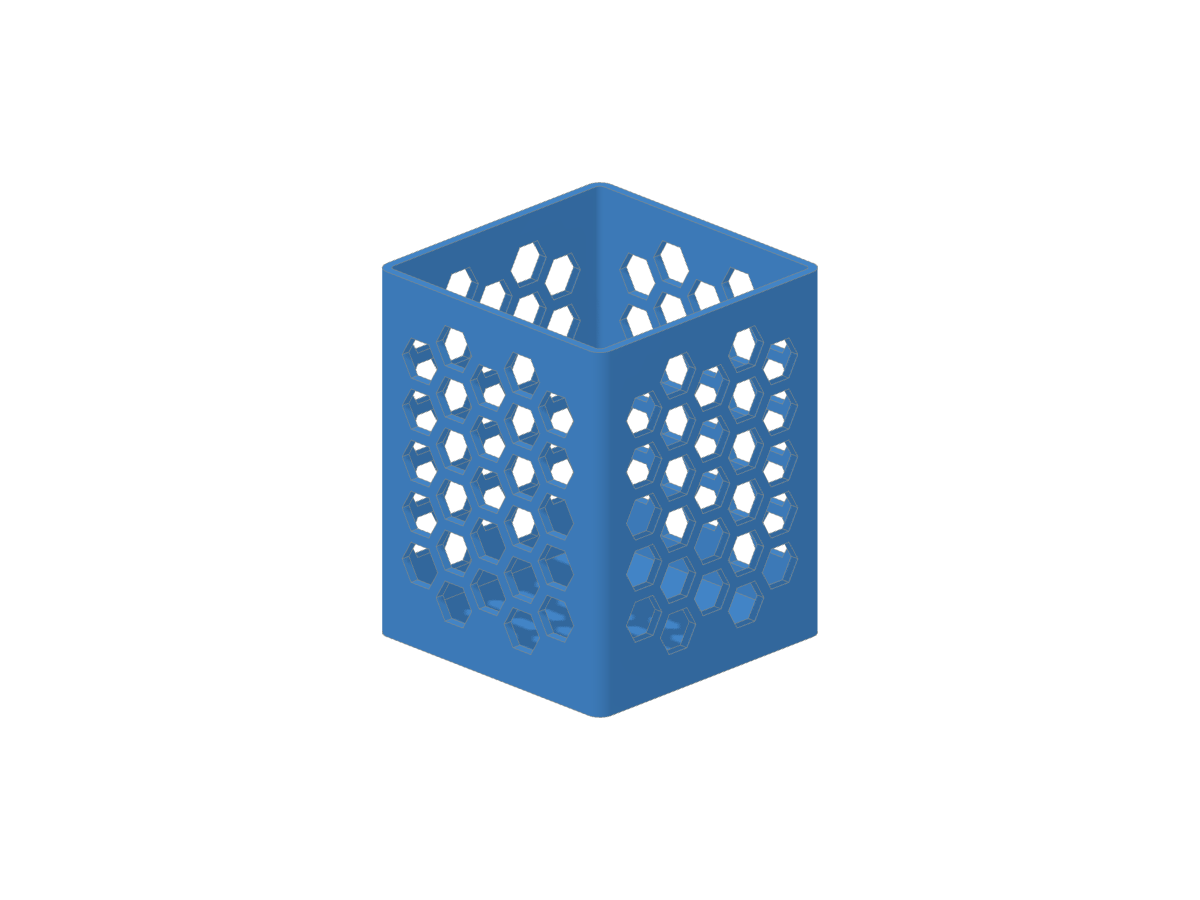 Pencil holder@evgenii-slakvaA upright pencil holder with four honeycomb-patterned walls and a solid floor, printable without supports.
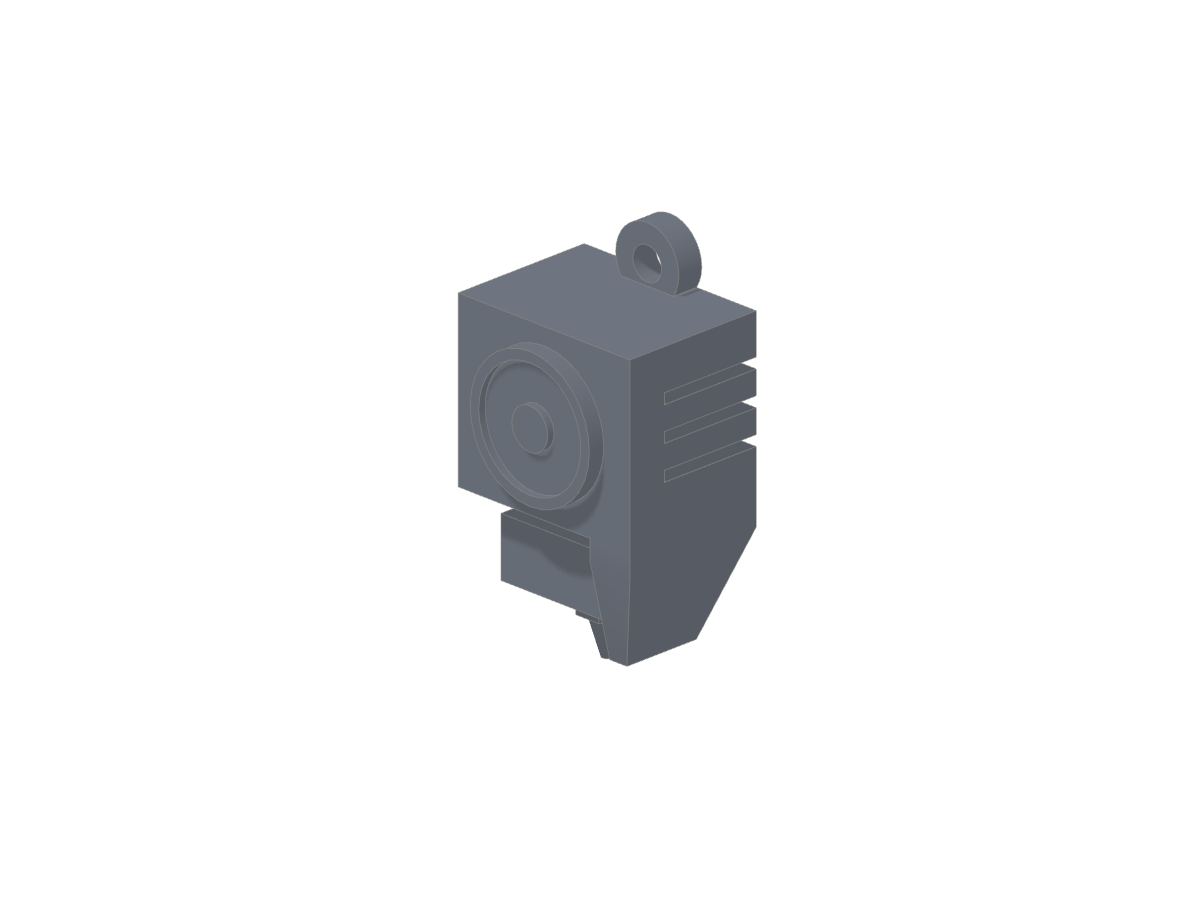 Printer head@evgenii-slakvaA keyring charm shaped like a 3D printer head, with a fan, cooling duct, heater block and nozzle.
How it works
- Say it. "A battery cover for my remote, 42 by 23 mm, with a clip on one end." Type it or say it, add a photo if it helps.
- Tap it to change it. Tap the part that's wrong and say what to change, or move its slider: "2 mm wider", "rounder corners". No describing it all again.
- Print it. Download the 3MF for your slicer, or open it in Bambu Studio from a computer. Measure once, and if the first print needs a 0.3 mm tweak, tap and say so.
Measure once. Fit the first time.
You give the measurements, from a ruler or calipers. Sizes are sliders you can move yourself, for free, as often as you like.
Lost it. Broke it. Print it.
Battery covers, knobs, clips, brackets: the small parts nobody sells on their own.
Prints on your printer
Every object downloads as a 3MF for any slicer. On a Bambu printer, open it in Bambu Studio from a computer in one click. Figures and animals come from a 3D generator and join the rest of the object as one print.
Pay per thing, not per month
Ten credits to start, then packs of credits in the iPhone app; sliders, sharing and copying cost nothing. Pricing.
Works with your own Claude Code
Already use an AI agent? Connect it to SayThing and it answers your notes instead of ours, for free. saything.dev
Questions
Do I need CAD? Will it fit? Which printers? The answers.